Visual feature guide

CS2 wallhack and ESP without the clutter.

See the information that matters—player position, health, weapons and visibility—using configurable external CS2 ESP products.

  • Player boxes and bones
  • Health and weapon display
  • Visibility-only filters
  • Colours, distance and field of view
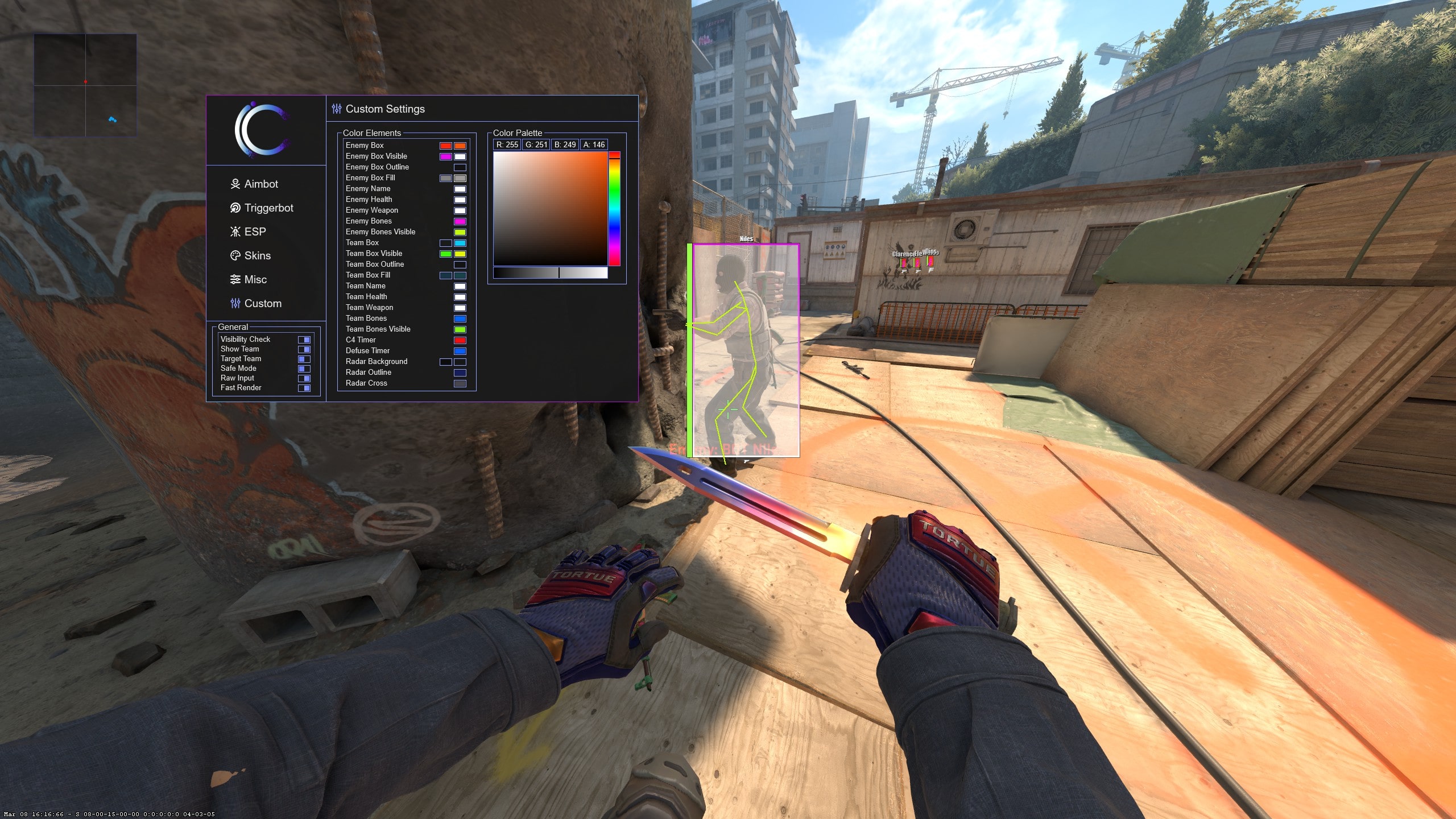
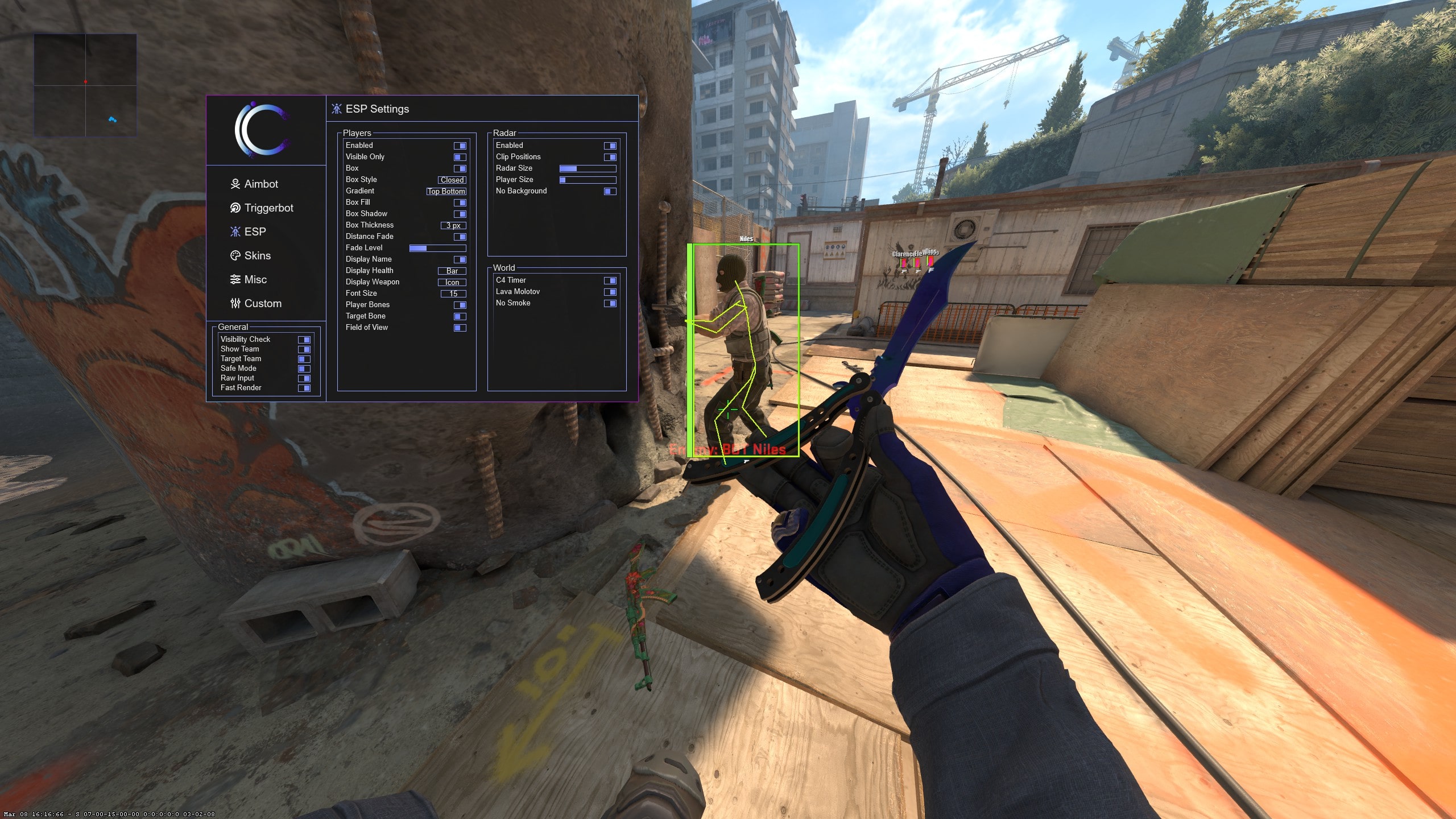
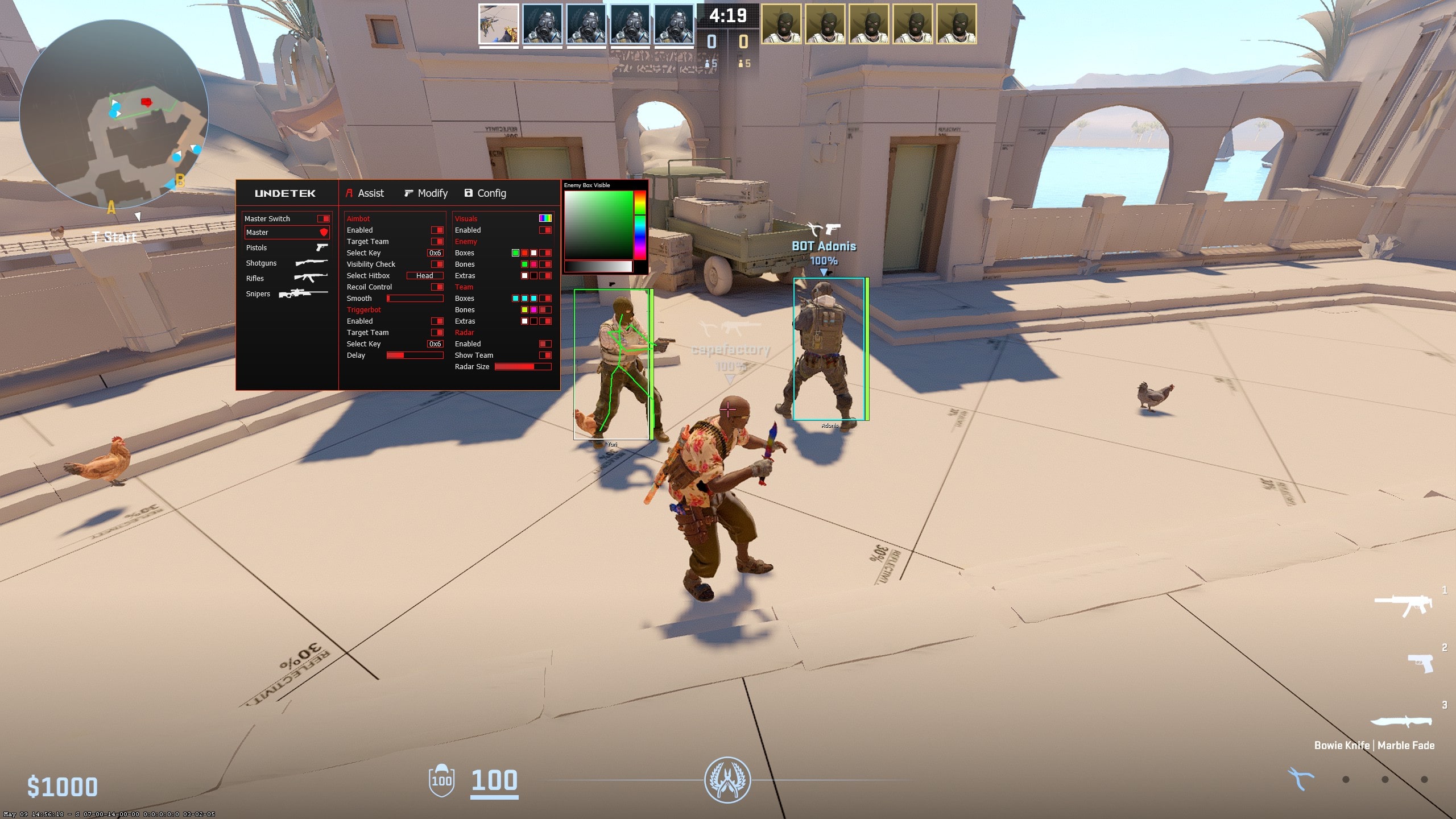
CS2 ESP wallhack settings and player box in game
Quick answer

A CS2 wallhack keeps selected player information visible through map geometry, while CS2 ESP is the broader visual system for boxes, bones, health, names, weapons, distance and visibility states. The free build covers core player visuals; Undetek+ is the simpler paid suite; iCheat Pro and 420Cheats Pro provide more detailed visual controls.

01

What is CS2 ESP?

ESP adds visual information about players and objects to your game view. A CS2 wallhack usually refers to the part that keeps enemy information visible through map geometry, while ESP is the wider group of boxes, bones, names, health, weapons and status indicators.

The shorthand “CS2 WH” usually means the same wallhack function. Radar is related but presents positions on a map rather than around player models. Understanding these labels helps you compare products by the information and display format you actually want.

02

Boxes, bones, health, names and weapons

A box outlines the space occupied by a player. Bone or skeleton ESP follows the model more closely. Health, name and weapon labels add context, while distance can help judge whether a detail is useful at the current range. Advanced suites expose more of these elements and their individual rules.

Not every element needs to be active at once. Boxes and health are a compact starting point; names and weapons help identify a specific player or threat; bones are more detailed but can add visual density. Check real menu screenshots because feature names and grouping differ between products.

  • Boxes for a clear player outline
  • Bones for a model-shaped view
  • Health for target condition
  • Names and weapons for context
  • Distance and colours for faster reading
03

Build a readable visual setup

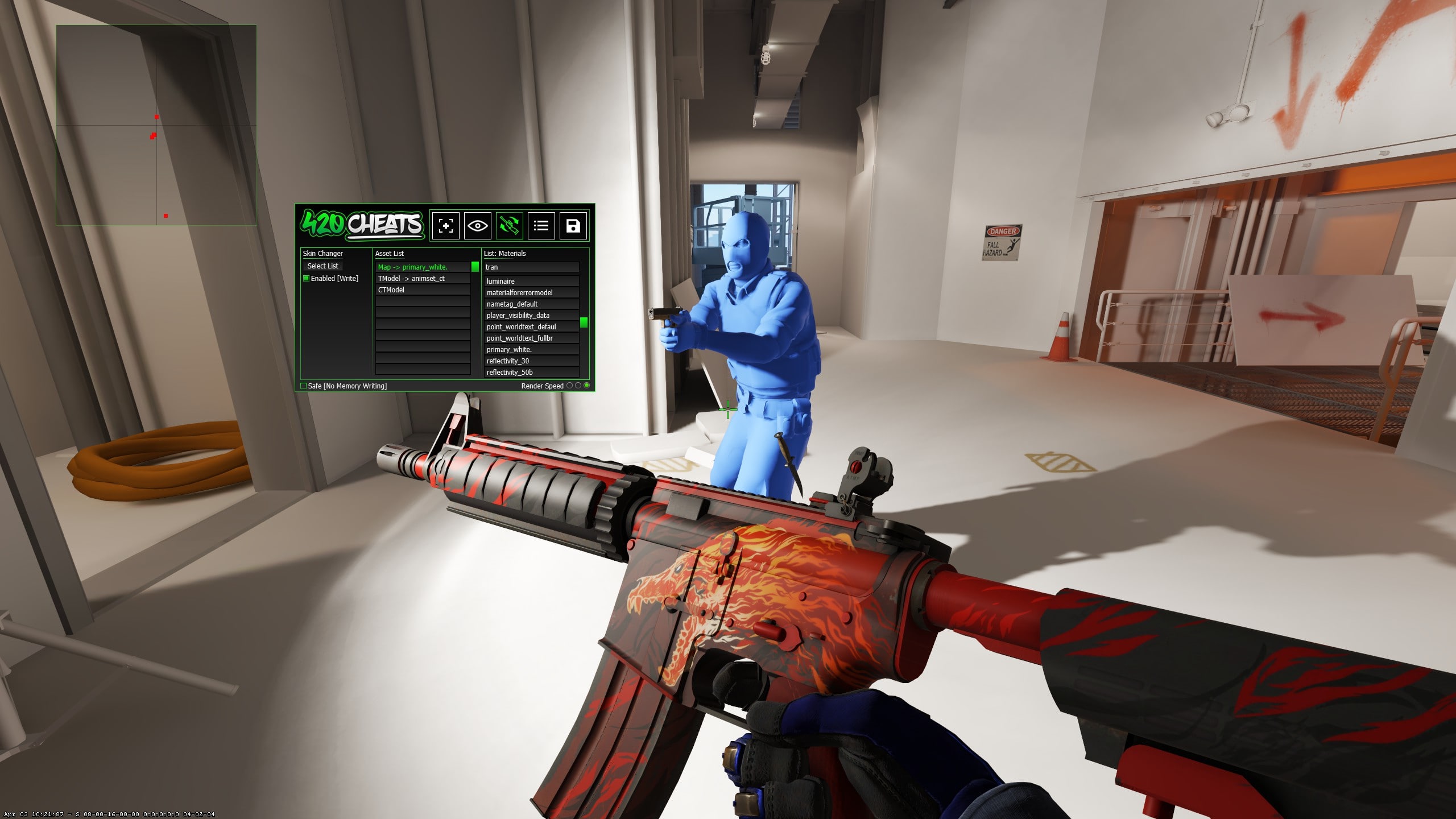
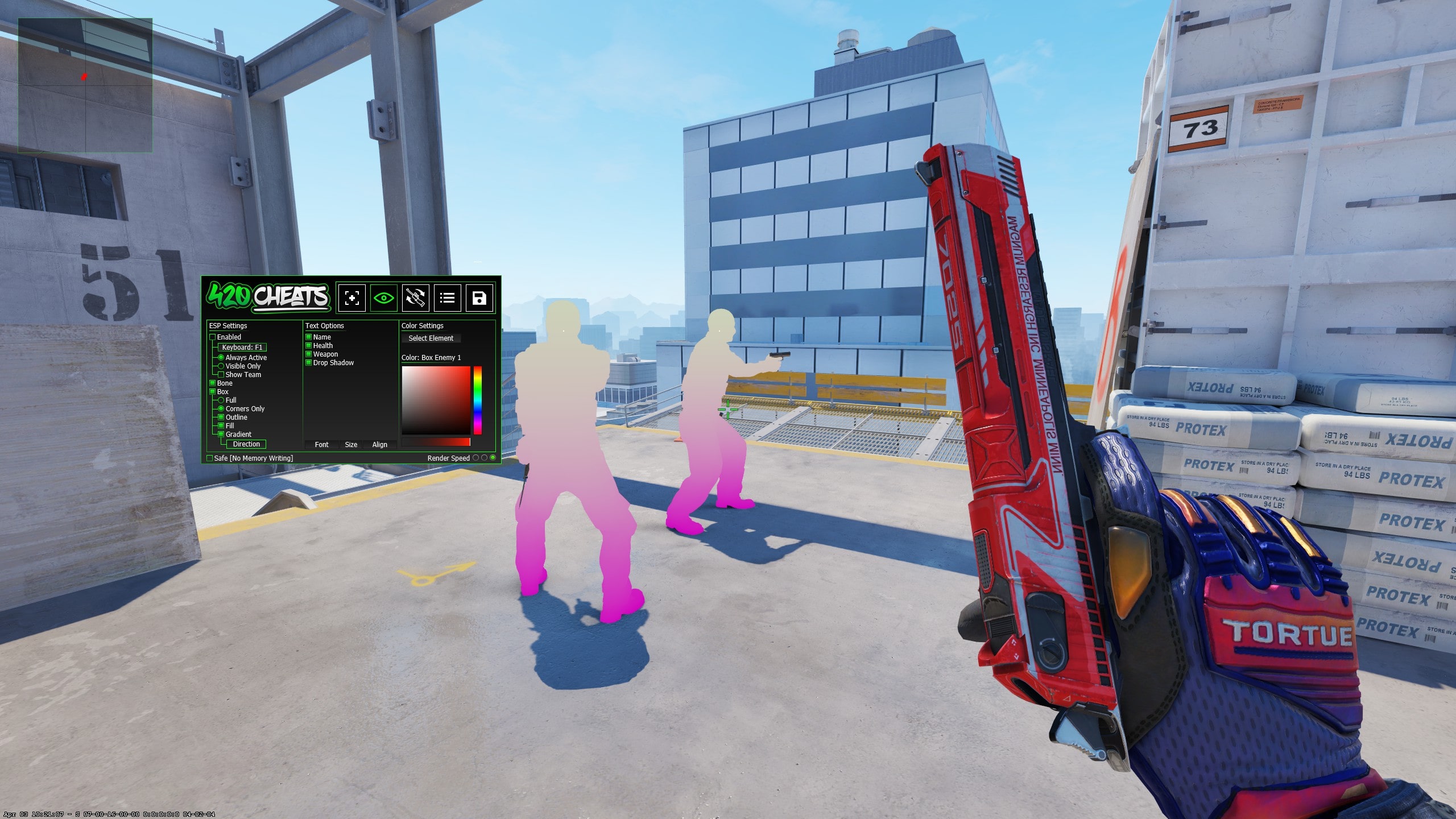
More information is not always better. A useful setup starts with boxes or bones, health and a visibility colour. Names, weapons and distance can then be added only where they help. iCheat Pro and 420Cheats Pro provide detailed visual configuration; Undetek+ keeps the options simpler.

Separate visible and hidden colours make the display easier to scan. A visibility-only filter can reduce clutter when information through geometry is not needed. Test colour contrast on bright and dark areas of several maps rather than judging it from a single screenshot.

04

CS2 ESP versus radar hacks

ESP attaches information to players in the game view, so it is immediate but can compete with the normal scene. A standard radar condenses positions into a map panel. Web Radar moves live match information to a private browser that can be viewed on a second monitor, tablet or phone.

Choose ESP when player-specific labels in the main view matter. Choose radar when a map overview is clearer. The full suites can combine ESP and radar, while the specialist Web Radar is designed around the separate browser display.

05

Free CS2 wallhack versus premium ESP

The free CS2 cheat includes core player ESP and wallhack-style information without a purchase. It is enough to understand the basic display. Undetek+ adds a maintained paid workflow in a simpler full suite, while iCheat Pro and 420Cheats Pro suit users who want a larger choice of visual elements, filters and colours.

The dedicated Skin Changer does not include ESP, aimbot or triggerbot. Web Radar provides positional and match information in a different browser-based format rather than an in-game player overlay.

06

External wallhack options

The products compared here are external and use no hooks. According to the supplied history, the retained cheats are updated frequently and have no known VAC detection. That is a dated status claim, not a guarantee about future builds or account outcomes.

Gameplay remains visible to spectators, and tracking players through geometry can be conspicuous. No CS2 ESP cheat can prevent reports, VACNet cooldowns or manual action caused by visible behaviour. Check the dedicated status guide and the live destination before every session.
Step-by-step setup

How to get started

Follow the current instructions supplied with the download if they differ after a game or product update.

  1. 01

    Choose one core player visual

    Start with a box or bones rather than enabling every element at the same time.

  2. 02

    Add health or weapon context

    Use only the labels that materially improve the information you can read.

  3. 03

    Set visible and hidden colours

    Choose contrasting colours and test them across both bright and dark map areas.

  4. 04

    Set distance or visibility filters

    Reduce distant or unnecessary information so the game view remains readable.

  5. 05

    Compare radar as an alternative

    If the overlay feels crowded, consider standard radar or Web Radar for a map-based view.

  6. 06

    Review after updates

    Recheck compatibility and status whenever Counter-Strike 2 or the product changes.

Side-by-side

Compare CS2 wallhack and ESP choices

Core visuals are available for free. Paid suites differ mainly in visual depth, maintenance and the rest of their feature set.

OptionVisual formatConfiguration depthStarts at
Free CS2 CheatsCore player ESP and wallhackBasicFree
Undetek+ESP, wallhack and radarSimple$4.49
iCheat ProFull ESP and visualsAdvanced$5.99
420Cheats ProESP and visualsAdvanced$5.99
CS2 Web RadarSeparate browser mapRadar-focusedFree trial

Common questions

What players ask

What does CS2 WH mean?+

WH is shorthand for wallhack: visual information that remains visible when a player is behind a wall or object.

Can I show only visible enemies?+

Yes. The advanced ESP products include visibility checks and separate visible or hidden colours.

Does ESP show weapons and health?+

Yes. Supported products can display player health, names, weapons, boxes, bones and related visual information.

Is CS2 ESP the same as a wallhack?+

Wallhack usually describes information visible through geometry. ESP is the broader category that can also include boxes, bones, health, names, weapons and visibility indicators.

Is there a free CS2 wallhack?+

Yes. The free CS2 cheat includes core ESP and wallhack-style player information without a purchase.

What is the cleanest ESP setup?+

A compact setup normally begins with one outline style, health and a visible or hidden colour. Add names, weapons or distance only when they improve readability.

How is ESP different from Web Radar?+

ESP places information around players in the main game view. Web Radar shows live positions and match information on a private browser map.

Which products have the deepest ESP controls?+

iCheat Pro and 420Cheats Pro are the advanced visual options. Undetek+ uses a simpler full-suite approach.

Does external ESP guarantee account safety?+

No. External describes the architecture, not a safety guarantee. Reports, VACNet cooldowns, manual action and future detection remain possible.

Do I need to enable every visual element?+

No. Enabling only the information you use creates a more readable display and makes individual settings easier to troubleshoot.

Your next move

Ready to find your CS2 cheat?

Compare features and pricing, or ask the community for help choosing the right product.